
How to File Your Taxes as a Blogger + A Free Spreadsheet
One of the most confusing parts of becoming a new blogger is knowing exactly what to include in your taxes. Luckily, there are some great resources out there for getting started. Tax season ends April 18-19th, so if you haven’t started yet, you still have time. Below are a few helpful tax tips for bloggers that will help you get the job done!
Scroll down for my Free Income and Expense Spreadsheet that you can download and use to get organized!
1. IRS FREE FILE
Did you know that you can efile for free if your AGI (Adjusted Gross Income) is less than $62,000 per year? Check out the IRS website here for qualifying efile companies: https://apps.irs.gov/app/freeFile/jsp/wizard.jsp
Find additional Tax Forms here: http://www.irs.gov/Forms-&-Pubs
2. FILING ELECTRONICALLY
Filing on your own isn’t that complicated in most cases. I file my taxes online every year using TaxSlayer, an electronic tax filing service, but there are a ton of choices for electronic filing. You can find a list here: https://apps.irs.gov/app/freeFile/jsp/wizard.jsp
3. GET A FREE EIN FOR YOUR BUSINESS INSTANTLY
Every new business owner can apply for a free EIN (Employer Identification Number) online through the IRS. Find out more about how to get your EIN here: http://www.irs.gov/How-to-Apply-for-an-EIN/
Direct Link to Apply: https://sa2.www4.irs.gov/modiein/individual/index.jsp
It can take up to two weeks before your EIN becomes part of the IRS database, so be sure to apply early if you plan to use your EIN when filing electronically.
What can you use your EIN for? Opening a Business related bank account, applying for a business license or filing a tax return by mail.
3. SETUP QUARTERLY SELF-EMPLOYMENT TAX PAYMENTS
In order to get the biggest refund back every year, it’s best to pay your self-employment taxes in quarterly. To make it easy for you, the IRS now allows you to setup these payments electronically through EFTPS. Click here to enroll: https://www.eftps.gov/eftps/enrollment/new-enrollment-flow?execution=e1s1
Once you’ve enrolled, you will be able to create a profile and setup your payment information so the IRS can automatically deduct your payments from your bank account.
Learn more about electronic payments here: https://www.irs.gov/pub/irs-pdf/p4990.pdf
4. QUICKBOOKS SELF-EMPLOYED + TURBO TAX
If you’re looking for an easy way to track your income and expenses + easily setup your quarterly tax payments, check out Quickbooks Self-Employed. You can join the second level membership that combines Quickbooks and Turbo Tax for just $12/mo. to help you file your taxes easily and painlessly. Find out more here: http://quickbooks.intuit.com/self-employed/
5. FREE DOWNLOAD TO KEEP YOU ORGANIZED
Not ready to commit to a monthly membership yet? Check out this simple spreadsheet to help you keep track of all your income and expenses throughout the year.
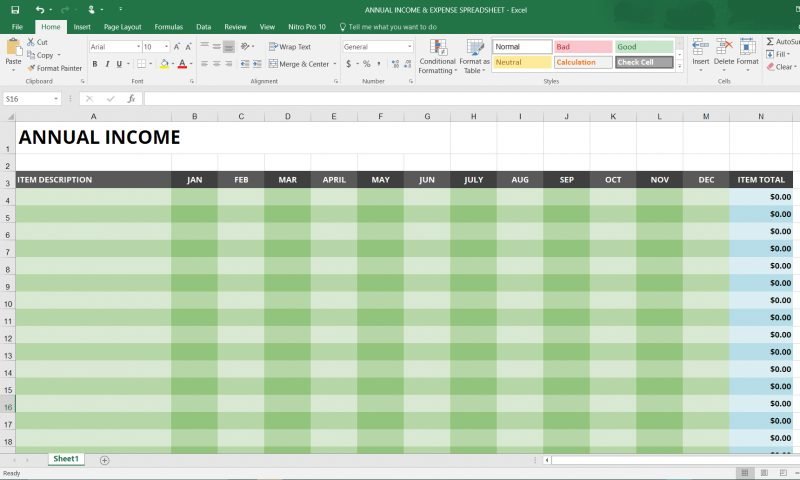
Click link to download Excel spreadsheet template.
- Free Download: ANNUAL INCOME & EXPENSE SPREADSHEET (xls)
MORE AWESOME TIPS
Check out these other great posts about how to save on your taxes and how to file while self-employed.
- Tax Tips for Bloggers from TurboTax
- Top 3 Tax Tips for Bloggers from H&R Block
- How an S-Corp Can Reduce Your Self-Employment Taxes
- What’s the Difference Between an LLC and an S-Corp
- Sole Proprietorship vs. LLC vs. S-Corp
- 7 Things That Every Blogger Should Know About Tax
- What Do Bloggers Need to Claim for Taxes?
- Tax Tips for Freelance Bloggers
- 101 Tax Deductions for Bloggers and Freelancers

I think best tools for SEO are backlinks. I have five websites now in Google top ten in just two months by continually adding backlinks to my site!
You’re a Rock Star! This is exactly what I needed! Thank you so much for your tax articles. Taxes can be a bit daunting for some people in the beginning. You helped to soften the learning curve . . .